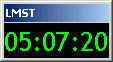
Version 2.0.1* released June 21, 2008
Note: if you have an older version, you should uninstall and download this new version.
What is a sidereal clock? Astronomy buffs (radio and the other kind) often use a special clock which is based upon "star time". If you used your normal clock and timed when a distant star passed due south of you each night, you would find that each night it passed about 4 minutes earlier. That happens because in addition to the 360 degrees the Earth rotates in 24 hours it also moves 1/365.25 of its orbit around the Sun. Thus, we swing into position to see a given point in the sky a little earlier every night.
Celestial objects are located on the sky by a coordinate system which includes a celestial longitude (Right Ascension) and latitude (Declination). The right ascension of a celestial object is same as the local mean sidereal time that the object will pass an imaginary line drawn from the celestial pole to due South ( 180 degrees azimuth). Thus, if you know the local mean sidereal time (LMST) you also know what objects are in meridian transit at your location. If this isn't clear, most any astronomy text can can explain it in better detail.
Enough explanation. Click on the clock below to download it. Remember that you need to configure it before it will be correct for your location! Right click on the clock face and select Configure to reach the configuration panel. I suggest you view the help files for help in configuring for your location.
|
Click here to see the help file.
The basic clock is free but there is an upgrade available that will provide additional features. Please support this project by considering a paid upgrade. See below.
* (This summer solstice release 2.0.1 fixes a problem that prevented messages from being displayed in sidereal alarms and added more stability.)
Universal Time Clock - Optionally display Universal Time (UT) below your Sidereal Clock display.
Sidereal Time Alarms / Alerts - Remind yourself of observations based on Sidereal Time. You can also use Alarms to run other programs and scripts for such tasks as triggering a camera to take a picture. Alarms can also send messages to other computers via the network.
Sidereal Time Calculator - Covert back and forth between sidereal time and Local/UT times for any location in the world.
Top Support Level - Every effort will made to provide timely technical support to paid version users.
To upgrade purchase a license for just $13.95 by clicking on the button below. You will be emailed a user name and password combination (usually within 48 hours and often within just a few hours). Then select Upgrade from the programs main menu. This will provide you with a panel where you will place the user name and password. After restating, the program will allow you full access to all paid version features.
Purchase a Sidereal Clock Upgrade for
$13.95
HOME | BEGINNERS | JUPITER | SOLAR | PULSARS | PROJECTS | FAQ | BOOKS | SOFTWARE | SUPPORT | | LINKS